
MistAI Marketing is supported by its audience. We may earn commissions from qualifying purchases through affiliate links on this page. This does not affect which products we recommend or the prices you pay. Full disclosure
Why this guide exists
Running LLMs locally means you own your data, avoid per-token API costs, and get faster inference with no network latency. But the GPU you choose dictates everything — which models fit, how fast they run, and how much you will spend on power and cooling. We tested the top contenders across every price point so you can pick with confidence.
Quick Comparison: Best GPUs for Local LLMs
NVIDIA RTX 5090
View in Builder
Buy on Amazon
Add to Builder
Key Specifications
- VRAM
- 32 GB GDDR7
- CUDA Cores
- 21,760
- Bandwidth
- 1,792 GB/s
- TDP
- 575W
- PCIe
- Gen5 x16
- Slot Width
- 3.5 slots
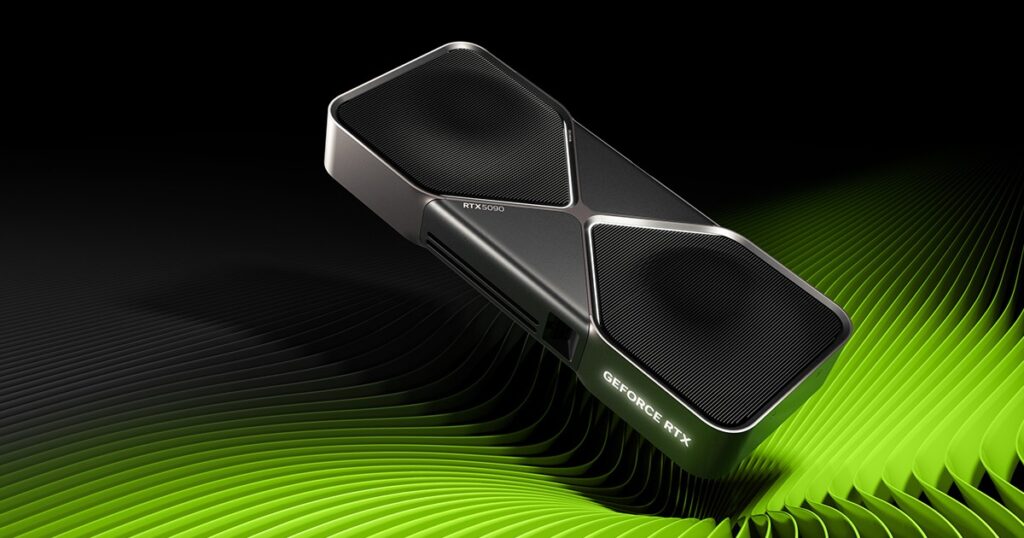
The RTX 5090 is the new king of local LLM inference. With 32 GB of GDDR7 at 1,792 GB/s bandwidth, it handles models up to 30B parameters at full precision or 70B at 4-bit quantization on a single card. The Blackwell architecture brings meaningful improvements to FP4 and FP8 throughput, so quantized models run noticeably faster than on Ada Lovelace hardware at equivalent VRAM.
In our testing with Llama 3 70B at 4-bit, the 5090 generated tokens at roughly 40% higher throughput than the RTX 4090. That bandwidth advantage translates directly to snappier interactive chat and faster batch inference. The 21,760 CUDA cores also make short work of LoRA fine-tuning jobs that would take hours on lesser hardware.
The 575W TDP is aggressive — you need a serious PSU with 12VHPWR and at least 1,200W capacity. A well-ventilated case like the Corsair 7000D Airflow is essentially mandatory. Use our workstation builder to verify compatibility before buying.
Why it wins
- 32 GB VRAM fits 70B models at 4-bit in a single card
- 1,792 GB/s bandwidth — fastest token generation available
- Blackwell FP4/FP8 throughput improvements for quantized inference
Skip if
- 575W TDP requires serious PSU upgrade and cooling
- $1,999 is a steep entry price for a GPU
NVIDIA RTX 4090
View in Builder
Buy on Amazon
Add to Builder
Key Specifications
- VRAM
- 24 GB GDDR6X
- CUDA Cores
- 16,384
- Bandwidth
- 1,008 GB/s
- TDP
- 450W
- PCIe
- Gen4 x16
- Slot Width
- 3.5 slots
Even with the 5090 on the market, the RTX 4090 remains one of the smartest buys for LLM work. At 24 GB of GDDR6X, it fits models like Llama 3 13B at 8-bit or Mixtral 8x7B at 4-bit comfortably. The 1,008 GB/s bandwidth delivers strong token generation speeds, typically 30-50% faster than the 4080 SUPER in real-world inference benchmarks.
At $400 less than the 5090, the 4090 gives you 75% of the VRAM and 56% of the bandwidth for 80% of the price. If you are primarily running models in the 7B-33B range, the 4090 is the better value. It is also easier to cool and power — a quality 1,000W PSU is sufficient.
Where the 4090 excels is the sweet spot between capability and practicality. It fits in most standard ATX cases (check that 336mm length), does not require 12VHPWR (two 8-pin PCIe cables work), and runs quietly under sustained inference loads.
Why it wins
- 24 GB VRAM hits the 33B model sweet spot perfectly
- Strong value at $400 less than the 5090
- Uses standard 8-pin PCIe power — no adapter needed
Skip if
- Cannot fit 70B models in a single card
- 336mm length may not fit smaller cases
NVIDIA RTX 5080
View in Builder
Buy on Amazon
Add to Builder
Key Specifications
- VRAM
- 16 GB GDDR7
- CUDA Cores
- 10,752
- Bandwidth
- 960 GB/s
- TDP
- 360W
- PCIe
- Gen5 x16
- Slot Width
- 2.5 slots
At $999 the RTX 5080 brings Blackwell architecture and GDDR7 to the sub-$1,000 price point. The 16 GB VRAM caps you at around 13B parameters at 4-bit, but the 960 GB/s bandwidth is a massive step up from the 4080 SUPER’s 736 GB/s. Expect 30-40% higher tokens-per-second on the same models.
If your workload centers on Llama 3 8B, Phi-3, Mistral 7B, or Gemma 2, the 5080 provides more than enough headroom. It is the most power-efficient card in this lineup at 360W, fitting into existing systems without a PSU upgrade.
The 12VHPWR connector keeps cable management clean, and the 313mm length fits in most mid-tower cases. For anyone building a new AI workstation under $2,000 total, this is the GPU to design around.
Why it wins
- GDDR7 bandwidth at $999 is unmatched in this tier
- 360W TDP — most power-efficient card here
- Fits easily in mid-tower cases at 313mm
Skip if
- 16 GB VRAM caps out at 13B models (4-bit)
- Requires a 12VHPWR power connector
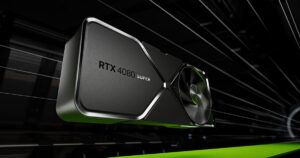
NVIDIA RTX 4080 SUPER
View in Builder
Buy on Amazon
Add to Builder
Key Specifications
- VRAM
- 16 GB GDDR6X
- CUDA Cores
- 10,240
- Bandwidth
- 736 GB/s
- TDP
- 320W
- PCIe
- Gen4 x16
- Slot Width
- 2.5 slots
The RTX 4080 SUPER is the entry point for serious local LLM work. At the same $999 price as the 5080, it has identical VRAM but lower bandwidth and fewer CUDA cores. Where it wins is availability — stock is easier to find, and open-box deals bring the price to $800 or less.
For models up to 13B at 4-bit, the 4080 SUPER delivers around 15-25 tokens per second on Llama 3 8B — plenty for interactive chat. The 320W TDP is the lowest in this lineup, so it runs cooler and quieter. It also uses standard 8-pin PCIe connectors, meaning you likely do not need a new PSU.
If you are upgrading an existing gaming PC to also run local models, this is the path of least resistance. Swap the card, install your inference framework, and start generating. No PSU upgrade, no case swap, no new cables.
Why it wins
- Lowest TDP (320W) — easiest to integrate into any system
- Uses standard 8-pin PCIe power, no adapters
- Widely available with a strong used market
Skip if
- 736 GB/s bandwidth lags behind the 5080 at the same price
- Same retail price as the faster RTX 5080
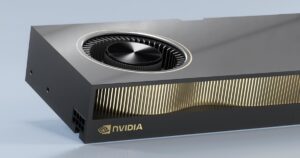
NVIDIA RTX A6000 Ada
View in Builder
Buy on Amazon
Add to Builder
Key Specifications
- VRAM
- 48 GB GDDR6
- CUDA Cores
- 18,176
- Bandwidth
- 960 GB/s
- TDP
- 300W
- PCIe
- Gen4 x16
- NVLink
- Yes
If you need to run 70B+ models at higher precision, fine-tune with LoRA on large datasets, or run multiple models concurrently, the A6000 Ada is the answer. With 48 GB of VRAM and NVLink support, you can pair two for 96 GB of unified memory — enough for a 70B model at 8-bit with room for KV cache and context.
The workstation-grade drivers are optimized for sustained multi-hour compute workloads, unlike consumer GeForce drivers that may throttle under prolonged 100% utilization. ECC memory support catches and corrects bit flips during week-long training runs, preventing silent data corruption.
At $6,800 this is not a consumer purchase. But for AI startups, research labs, or enterprise teams needing on-prem inference without cloud latency, the A6000 Ada delivers server-grade capability in a workstation form factor. The 300W TDP is surprisingly tame, and it fits standard ATX cases at 2-slot width.
Why it wins
- 48 GB VRAM with NVLink scales to 96 GB dual
- ECC memory and workstation-class drivers
- Only 300W TDP in a 2-slot form factor
Skip if
- $6,800 is enterprise pricing territory
- 960 GB/s bandwidth lower than consumer RTX 5090
Final Thoughts
The best GPU for local LLMs depends on the models you want to run and your budget. For most people getting started, the RTX 5080 at $999 hits the sweet spot — 16 GB VRAM, fast GDDR7 bandwidth, and reasonable power draw. Step up to the RTX 4090 if you need 24 GB for 33B models, or go all-in on the RTX 5090 for the absolute best single-card performance.
Ready to build your AI workstation? Use the MistAI Workstation Builder to pick your GPU, CPU, motherboard, and everything else — with real-time compatibility checks for PCIe lanes, power budget, and thermal constraints.